USSSA
- 4.7
- Rating
- 100.00K
- Installs
- Free
- Price

 Analysis by App-foxy
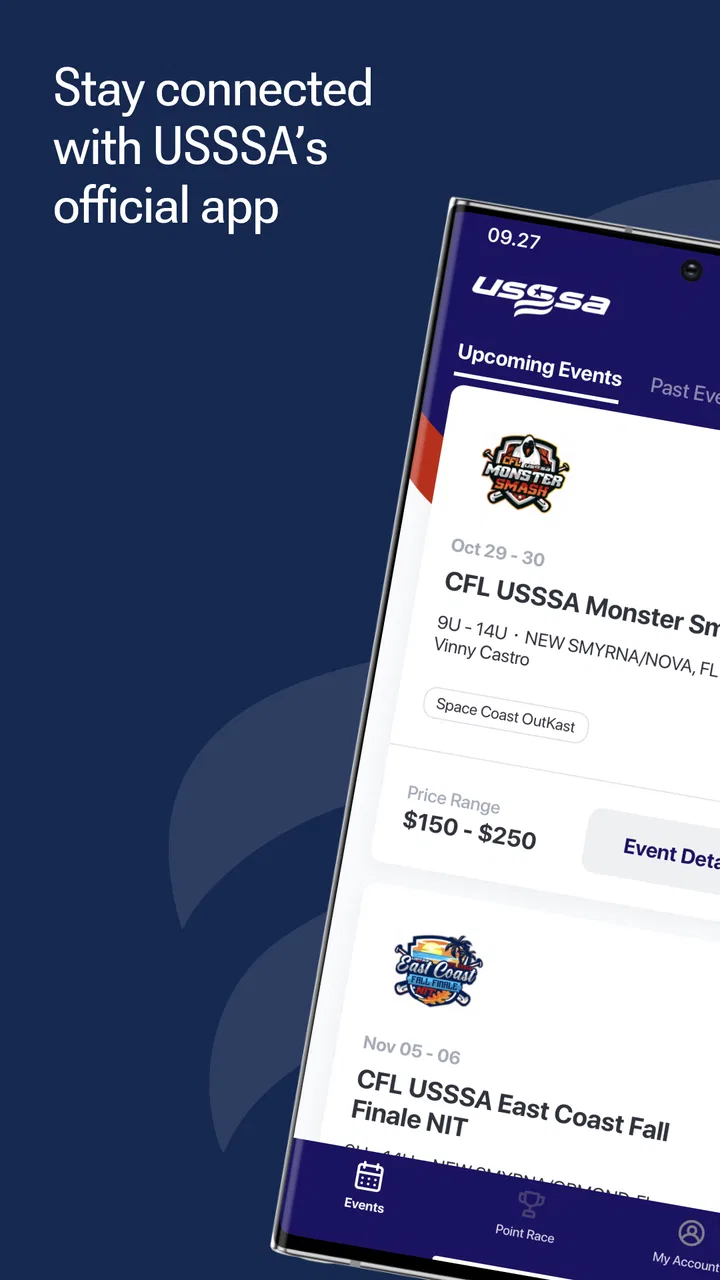
When a household is following several USSSA events, the difficult part is often not finding information; it is keeping the right information connected to the right people. I tested USSSA as a sports event companion, and I found it most useful when a parent, athlete, coach, or supporter needs one place to stay oriented around event activity. It is free, aimed at Everyone, and developed by USSSA TS, so its purpose is much narrower than that of a general sports news app or a family calendar.
My first impression was that this is an event-management tool rather than a social app or a training platform. It does not try to replace a messaging service, a calendar, or a scorekeeping system in every situation. Instead, its value comes from bringing the USSSA event experience closer to the people taking part in it. That distinction matters: if your household is not involved in USSSA activities, there is little reason to install it, but if you are attending one, the app can reduce the amount of searching and back-and-forth that usually surrounds a tournament weekend.
How it works when several people share the same event
A realistic example is a family heading to an event with one athlete competing while two adults divide driving, meals, equipment, and updates. One person may be watching the current schedule, another may be trying to understand what is happening next, and the athlete may only need the information relevant to their own participation. In that situation, the app is helpful as a common reference point. Instead of relying entirely on one person’s screenshots or memory, each household member can check the event experience directly on their own device.
You May Also Like

 Blood Strike: 2.5 Anniversary
Blood Strike’s Loadouts Turn Every Drop Into a Tactical Gamble
A close look at Blood Strike’s custom loadouts: how fast access to signature weapons reshapes its battle royale rhythm, rewards preparation, and narrows the gap between fights.

 Pandora - Music & Podcasts
Pandora’s Music Is Easy to Start, but Harder to Recover
Pandora’s strength is its low-effort path from a seed to a station. Its weak spot is how much confidence it asks you to place in connection, setup, and quiet recovery.

 8 Ball Pool
 Is Built on Rivalries, Rematches, and Routine
A close look at the rivalries, rematches, shared routines, and unanswered safety questions that turn a quick pool match into a persistent mobile community.

 Samsung Music
’s Quiet Strength Is Playing What You Already Own
Its reach comes less from spectacle than from dependable access to a personal library. That simplicity is both the app’s strongest retention engine and its ceiling.

 AccuWeather: Weather Radar
AccuWeather Review: A Quick, Clear Forecast for Everyday Decisions
For everyday plans, the best forecast is the one you can understand quickly. AccuWeather makes rain timing, radar, and local conditions easy to act on, with a few trade-offs.

 Hill Climb Racing
Why Hill Climb Racing Still Turns Crashes Into One More Run
A tiny car, a bumpy hill and one more upgrade: Hill Climb Racing keeps resurfacing because its simple chaos makes every near-miss feel personal.
More From Our News Desk
View All News


That shared-use benefit is easy to underestimate. Sports weekends create small coordination problems: someone is away from the field, a plan changes, a team member asks a question, or a parent wants to confirm the next step without interrupting the coach. An event-focused app gives the group a better chance of working from the same current information. I would still use a normal family chat for personal messages and last-minute decisions, but I would use this app for the event material itself.
The distinction between those two roles is one of my most useful takeaways. A chat is fast but quickly becomes crowded with unrelated comments, photos, and questions. A household calendar is good for fixed plans but may not reflect the event context. USSSA sits between those tools: it is more focused than a general calendar and less conversational than a messaging app. That makes it especially practical when several people need to consult the same event without turning one family member into the permanent information manager.
There is also a sensible way to use it on a shared tablet or spare household phone. I would keep that device available during travel or at the venue, while each adult uses their own phone when moving around. The shared device becomes a quick reference screen rather than a place where every person has to pass around one handset. This is not a substitute for separate account access, but it is a simple household habit that can make event information easier to reach.
What to do before the event begins
I recommend opening the app before leaving home, not for the first time in a parking lot. The best workflow is to identify the relevant event, look through the available information, and then decide who in the household actually needs to follow it. That small preparation step prevents the common mistake of handing the phone to someone else while still trying to work out where everything is.
For a parent, the useful preparation is not just checking the first activity. I would review the event area in advance, note what information matters to the family, and make sure the app is ready to open quickly. If the household is traveling together, one adult can become the person who checks details while another focuses on driving. Once at the venue, that division can change: the person near the field may have the app open while someone elsewhere handles food, parking, or equipment.
This is also where the app’s limits become clear. It can help organize the event experience, but it does not remove the need for judgment. I would not assume that an app screen is the only thing worth checking when plans are time-sensitive. Coaches, event staff, and direct team communication still matter, particularly if a family is making a costly or difficult travel decision. The app is a useful reference, not permission to stop paying attention to the people running the event.
Keeping household roles clear
One of the quieter advantages of an event app is that it can reduce accidental information mixing. In a busy household, an adult may be following one athlete while a sibling is interested in another activity. A shared device can easily become confusing if everyone expects the same screen to answer a different question. I found it better to agree on simple roles: one person checks the overall event picture, another confirms what applies to the athlete, and the athlete asks the coach about team-specific matters.
That arrangement avoids a common trap with shared technology: assuming that one login or one open screen automatically serves everyone equally. The app may be used by a household, but the household is not one person. Each user should understand whose event or activity they are viewing before acting on the information. This is particularly important when several teams or age groups are present at the same venue.
I would also avoid creating an informal rule that the youngest person must hand over their phone whenever an adult wants to check something. If the athlete has their own device, it is more respectful and practical to let them access the information they need while adults use their own screens. If the family shares one device, agree in advance who will carry it and when it should be passed on. That is a small boundary, but it prevents the app from becoming another source of household friction.
Coordination, age context, and my household verdict
I’d use the household verdict as a prompt to agree on one practical routine before the next event: decide who checks event information, who shares anything that affects the group, and which decisions still need a direct conversation. That keeps a convenient shared reference from turning into an assumption that everyone has seen the same thing. For families with younger participants, I’d make the adult’s role explicit while still letting each child take on an age-appropriate part of getting ready.
Where it fits beside ordinary alternatives
Compared with a general sports app, USSSA feels more relevant when the user is already connected to a USSSA event. A broad sports app may offer news, scores, or coverage across many competitions, but that breadth can make it less useful for a family trying to manage one particular event. On the other hand, a regular calendar may be easier for recording travel plans, hotel details, or a sibling’s school activity. I would not replace those tools completely. I would use this app for event-related information and a calendar for the household’s wider schedule.
It also compares differently with team messaging. A chat is usually the fastest place to ask, “Where are you?” or “Can someone bring the extra gear?” It is not always the clearest place to locate structured event information after dozens of messages have arrived. My preferred combination is therefore simple: use USSSA to check the event, use direct team communication for human decisions, and use the family calendar for commitments outside the event.
That three-part approach is more realistic than expecting one app to coordinate an entire weekend. It also helps answer whether the app is worth installing. If your only need is a private family itinerary, a calendar may be enough. If you need broad sports coverage, another sports service may be better. If you are participating in USSSA events and want the event experience close at hand, this app has a much clearer reason to exist.
Account boundaries and shared-device habits
Families should decide who is using the app before they begin. An adult may manage event planning, while an athlete uses it to check relevant information. Those are different needs, and treating them as identical can create confusion. I would avoid sharing personal account credentials casually, especially when several people use one device. Instead, each person should use the access arrangement intended for them, and the household should keep private conversations in the appropriate private channel.
A shared device also deserves a little care. Sign out of unrelated services before handing it to a child, avoid leaving personal messages visible, and do not let the convenience of one open screen blur account boundaries. These are general device habits rather than special features of the app, but they matter because sports events often involve children, multiple adults, and hurried handoffs. The app works best when the technology supports the family’s organization instead of exposing more information than necessary.
I would also be cautious about allowing a child to make decisions based solely on what they see in an event app. The app can help an athlete become more independent, which I consider a real benefit, but independence should match age and responsibility. A younger child may need an adult to interpret the information and handle travel or timing choices. An older athlete may be able to check the event details directly and report back. The right balance depends on the family, not just on the app’s Everyone rating.
Age and trust in everyday use
The Everyone content rating makes the app approachable for households with children, but an age label is not the same as a complete family-use plan. I would still explain to a child what the app is for, which information they should act on, and when they should ask an adult or coach. That conversation is more valuable than simply installing the app and assuming the rating answers every question about maturity or judgment.
Trust works in both directions. Parents need to trust athletes with an appropriate amount of responsibility, while athletes need to know that adults will not constantly take over the device. A practical compromise is to let the athlete check the event independently, then ask them to confirm important details aloud. This turns the app into a coordination aid and a small lesson in responsibility without pretending that a screen can replace adult supervision.
For households with more than one athlete, I would be especially deliberate about names, teams, and event context. Before sharing a detail with the family, confirm that it belongs to the right participant. That extra pause is easy to skip when everyone is rushing, yet it is one of the most useful safeguards against acting on information meant for somebody else. The app can centralize event material; the family still has to interpret it correctly.
Performance expectations and practical friction
The current version is 3.0.3 and supports Android 9 or later. That makes the app accessible to many devices, although anyone using an older phone should check compatibility before planning around it. I appreciate that the requirements are not aimed only at the newest hardware, but installation compatibility is not the same as a good experience on every handset. Older devices may make event checking less comfortable simply because of screen size, speed, or battery condition.
Because this is a sports-event app, the environment matters. Venues can be crowded, noisy, and distracting, and a phone may be used while walking between fields or waiting in a vehicle. I would open the relevant information before moving around and keep a backup plan for essential details. A screenshot, a written note, or a message to another adult can be sensible for the one detail that would cause a problem if it were difficult to retrieve at the wrong moment.
That is not a criticism of the app alone; it is a realistic trade-off of relying on a phone during live events. Digital coordination is convenient, but it introduces battery, connectivity, and attention concerns. The strongest users will treat the app as a quick reference rather than stare at it continuously. In my experience, that makes the tool feel lighter and more useful: check what matters, communicate the decision, and put the phone away.
Who should install it and who should skip it
I would recommend USSSA to athletes, parents, coaches, and supporters who are actively involved in USSSA events and want a focused way to manage the event experience. It is particularly suitable for households where several people need access to the same event information but have different responsibilities. The free price also removes the usual need to decide whether a short event period justifies a subscription or purchase.
I would skip it if you are looking for workout plans, general sports news, a private family organizer, or a full replacement for team communication. It is also unlikely to be useful for someone who never attends USSSA events. Installing a specialized app without a relevant event creates more clutter than value, especially on a child’s device where every extra app adds another thing to understand and maintain.
The app’s store presence suggests a healthy level of interest, with a 4.7 average from around 727 ratings and more than 100,000 installs. I see those figures as encouraging signs that the app has found an audience, but they do not change my main advice: relevance matters more than popularity here. The right question is not whether every sports family needs it; it is whether your family’s event routine would be easier with a dedicated USSSA reference point.
My final view for a shared household
After using it as an event companion, I see USSSA as a practical specialist tool with a clear audience. Its strongest quality is focus. It gives a household a common place to begin when an event has several moving parts, while leaving calendars, chats, and direct conversations to handle the jobs they do better. That balance is more useful than a promise that one app can manage every detail of family life.
My advice is to install it before the event, decide who needs access, and establish a simple household routine for checking and sharing information. Let older athletes take an appropriate role, keep younger users supported, and avoid treating a shared phone as a shared identity. Those habits make a bigger difference than repeatedly opening the app without a plan.
Overall, I would recommend it to USSSA participants who want less scattered event coordination, especially families sharing responsibility across several adults and athletes. I would not recommend it as a general-purpose sports or family app. Its value comes from being the right tool for a specific event context, and within that context, the free, Everyone-rated app from USSSA TS is a sensible addition to the household’s travel and communication routine.
FAQs for USSSA
01What is the primary function of the USSSA app?
The USSSA app is designed to streamline the experience for players, coaches, and fans involved in USSSA sports. It provides real-time updates on game schedules, scores, and rankings, along with easy access to team rosters and tournament details. Users can also find location information for events and facilities.
02Is the USSSA app free to download and use?
Yes, the USSSA app is free to download on both Android and iOS devices. However, while the basic features are free, some advanced functionalities or premium content might require in-app purchases or a subscription, depending on the user’s needs and preferences.
03Can I use the USSSA app to register for tournaments?
Absolutely! The USSSA app allows users to register for various sports tournaments directly through the platform. It simplifies the registration process by enabling users to sign up, pay fees, and receive confirmation, all within the app, making it convenient for both individual players and teams.
04Does the USSSA app require an internet connection to function?
While the USSSA app offers some offline functionalities, such as viewing previously downloaded schedules or rosters, an internet connection is essential for accessing live updates, registering for events, and syncing data. For the best experience, it is recommended to use the app with a stable internet connection.
05How user-friendly is the USSSA app for new users?
The USSSA app is designed with a user-friendly interface, making it easy for new users to navigate. It includes intuitive menus, a straightforward registration process, and helpful tutorials. Customer support is also available for any technical issues or questions, ensuring a smooth user experience for everyone.
Pros
- User-friendly interface for easy navigation.
- Real-time game updates and notifications.
- Comprehensive player statistics tracking.
- Simple team and player management tools.
- Supports multiple sports for versatility.
Cons
- Limited offline functionality.
- Occasional sync issues with servers.
- Ads can be intrusive at times.
- Requires frequent updates for stability.
- Lacks integration with some social networks.

USSSA
Gallery